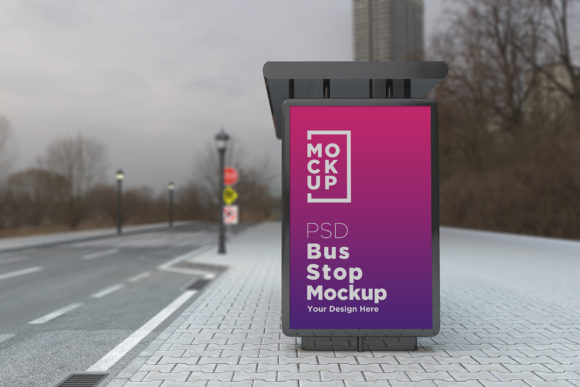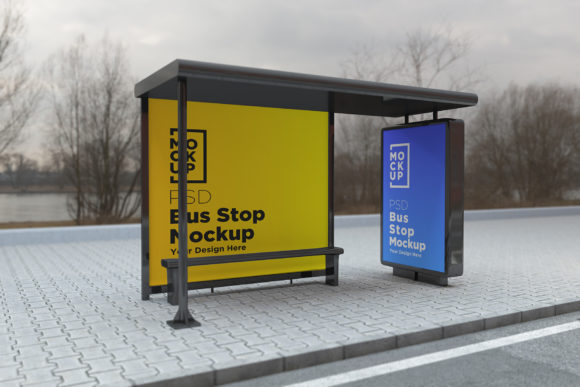
Enhance Your Designs with a Bus Stop Shelter Sign Product Mockup
When it comes to showcasing advertisements in real-world environments, visual accuracy is key. A Bus Stop Shelter Sign Product Mockup allows you to present your banner or poster design in a realistic setting without the need for expensive photography sessions. Whether you're an advertiser, designer, or business owner, this tool offers a practical solution to visualize how your content will appear on public transport signage.
What Is a Bus Stop Shelter Sign Product Mockup?
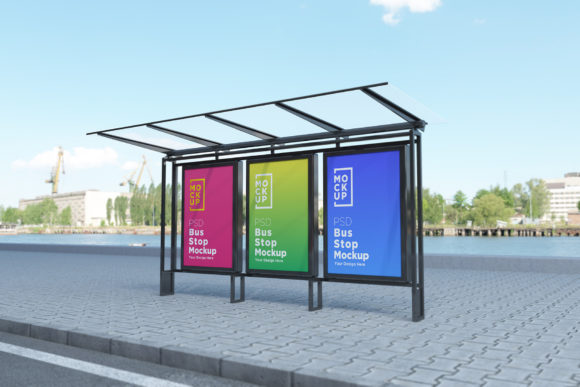
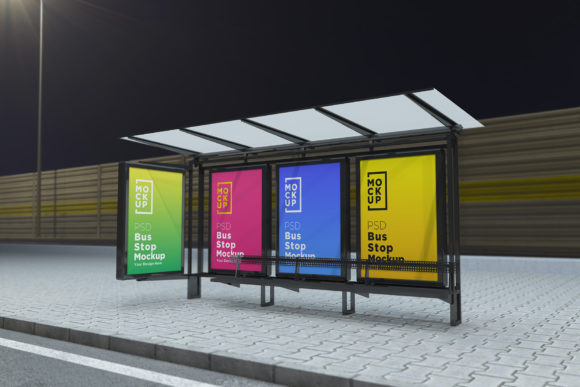
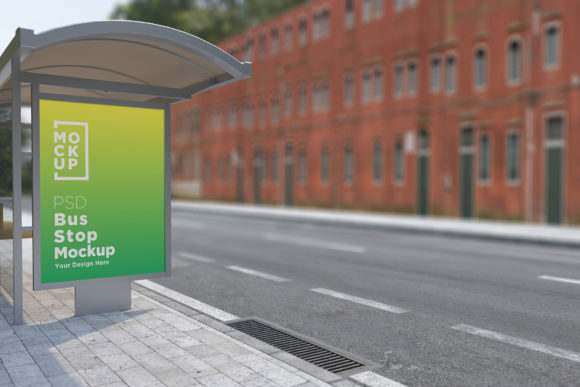
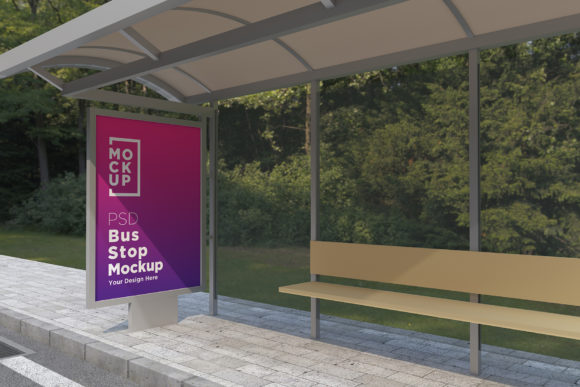
A Bus Stop Shelter Sign Product Mockup is a digital template that simulates how your advertisement would look when printed and displayed at a bus stop or shelter. These mockups are typically created using 3D modeling software and rendered with high-quality lighting and textures to mimic real-life conditions. The result is a photorealistic image that helps you make informed decisions about your design before final production.
How It Works
The process is straightforward. Most of these mockups come as a layered Photoshop (PSD) file. They utilize smart object layers, which means you can easily replace the placeholder images with your own designs. Once you've inserted your artwork, the mockup automatically adjusts the lighting and shadows to give it a natural, lifelike appearance. This feature makes it incredibly simple to preview your ad from different angles and under various lighting scenarios.
Why Use a Bus Stop Advertising Billboard Mockup?
Using a mockup for bus stop advertising provides several advantages:
- Cost-effective: No need to rent a camera crew or travel to a physical location.
- Time-saving: You can produce multiple versions of your ad quickly and efficiently.
- Client presentations: Show your clients exactly how their brand will appear in a real-world setting.
- Design testing: Evaluate color contrast, visibility, and overall impact before printing.
These mockups are especially useful for professionals who work with print ads but also want to show them in context. They help in identifying potential issues like poor readability or misalignment, ensuring that your final product is visually appealing and effective.
Key Features of the Mockup
This particular Bus Stop Shelter Sign Product Mockup is designed to meet the needs of both beginners and experienced designers. Here are some standout features that set it apart:
- Top Quality 3D Realistic V-Ray Rendering: Every detail is crafted with precision, giving your design an authentic feel.
- Fully Layered PSD File: Compatible with Adobe Photoshop CS6 and above, allowing for full customization.
- Smart Object Layers: Insert your design seamlessly without worrying about resolution or alignment.
- High-Resolution Output: The mockup is available at 5000 x 3000 pixels, making it suitable for professional use and large-scale displays.
- Real Backgrounds: The environment is modeled after actual urban settings, helping you understand how your ad will blend into its surroundings.
- Organized Layers and Folder Names: Easy navigation through the file structure ensures a smooth workflow.
- 72 Dpi Image Format: Optimized for digital presentations and online sharing.
- Included Help File: Detailed instructions guide you through the setup and customization process, even if you're new to mockups.
Who Can Benefit from Using This Mockup?
While the primary users are graphic designers and marketing professionals, many others can benefit from this resource:
- Business Owners: Preview your outdoor ads to ensure they align with your branding strategy.
- Advertising Agencies: Present multiple design options to clients in a realistic format.
- Freelancers: Improve your portfolio by showing your work in real-world contexts.
- Students and Educators: Learn about real estate for ads and how to optimize visual communication.
With support for a wide range of projects—from local promotions to national campaigns—this mockup is versatile enough to suit almost any creative need.
Where Can You Apply This Mockup?
The applications of a Bus Stop Shelter Sign Product Mockup extend beyond just transportation hubs. For instance:
- Subway Stations: Simulate how your ad might appear on subway billboards.
- Parks and Public Spaces: Visualize banners used in community areas.
- Urban Streets: See how your ad fits within cityscapes and pedestrian zones.
- Bus Shelters: Perfect for testing the placement and size of your posters in real-time environments.
Each scenario presents unique challenges in terms of visibility and audience engagement. By using the mockup, you can tailor your design to each specific location and demographic effectively.
Strengths and Limitations
Despite the many benefits, there are a few things to keep in mind when using this type of mockup:
Strengths
- Offers a near-photographic representation of your design in situ.
- Helps avoid costly reprints due to layout or visibility issues.
- Easy to customize thanks to smart objects and organized layers.
- Can be reused for multiple projects, saving time and effort.
Limitations
- Requires a basic understanding of Photoshop to navigate smart objects and layers.
- May not capture all environmental factors such as weather effects or crowds.
- Limited to the scenes provided in the mockup package.
Although no mockup can perfectly replicate every possible condition, the realism and flexibility of this one make it a strong asset in your design toolkit.
Practical Examples of Use
Let’s explore a few real-world examples where this mockup could prove invaluable:
Example 1: Local Business Promotion
If you're running a campaign for a local café, you can use the Bus Stop Shelter Sign Product Mockup to test how your poster looks next to other signs and under varying light conditions. This helps ensure your message stands out and attracts attention from passersby.
Example 2: Branding Campaigns
For larger brands launching a new product, seeing how the design integrates into a busy urban scene is essential. The mockup allows you to evaluate color schemes and typography in a way that feels authentic and engaging.
Example 3: Client Proposals
When pitching to clients, having a realistic image of their ad in place can build trust and confidence. It demonstrates professionalism and attention to detail, which are crucial for winning contracts and approvals.
Evaluating Suitability for Your Needs
Before downloading the Bus Stop Shelter Sign Product Mockup, consider the following questions:
- Do I need a high-resolution image for client presentations or print?
- Am I working with a team that uses Photoshop regularly?
- Will I be presenting my ad in multiple locations or formats?
- Do I want to avoid the costs associated with on-site photography?
If you answered “yes” to most of these, then this mockup is likely a good fit. However, if your project requires extreme realism with dynamic elements (like moving people or changing weather), you may need to combine the mockup with additional tools or consult a 3D artist.
Getting Started with the Mockup
Here's a quick overview of what the pack includes:
- 1 Fully Layered PSD File: Editable and customizable for your specific needs.
- 1 JPEG File: Ready-to-use flat image for quick previews or web-based presentations.
- 1 Help File: Step-by-step guidance to help you get the most out of the mockup.
With clear layer names and smart object integration, you can start editing immediately. Even if you're not a Photoshop expert, the help file walks you through the process, making it accessible to a wide range of users.
Final Thoughts
The Bus Stop Shelter Sign Product Mockup is more than just a design tool—it’s a bridge between creativity and reality. By using it, you gain the ability to see your work in action, identify improvements, and communicate effectively with stakeholders. It supports a variety of industries and use cases, proving its worth in both small and large-scale projects.
Whether you're designing for a park, street corner, or bus shelter, this mockup brings clarity and confidence to your creative process. And remember, if you run into any issues while using the help file, don’t hesitate to reach out via the seller’s profile page or email for assistance.