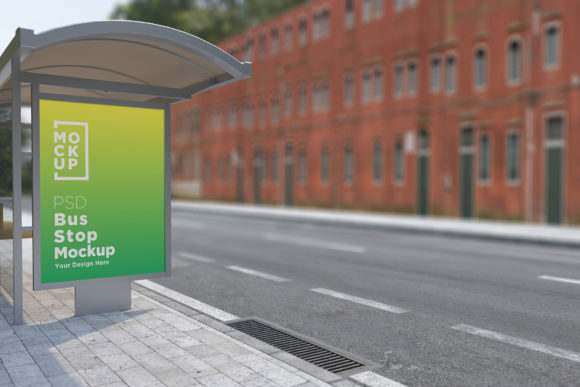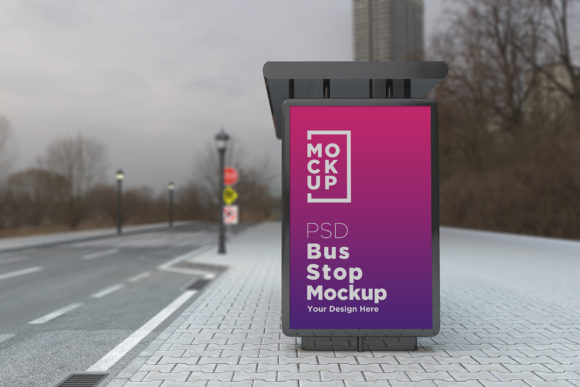
Bus Stop Shelter Outdoor Sign Mockup: A Strategic Tool for Advertising Designers
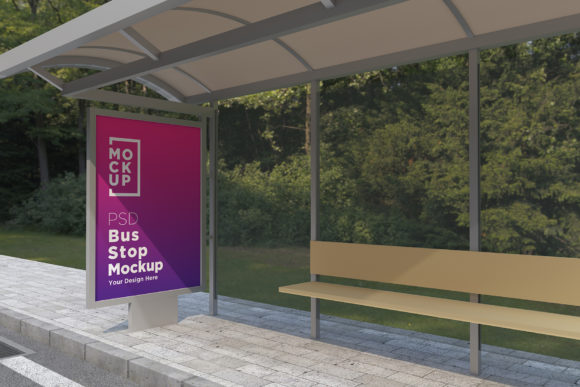
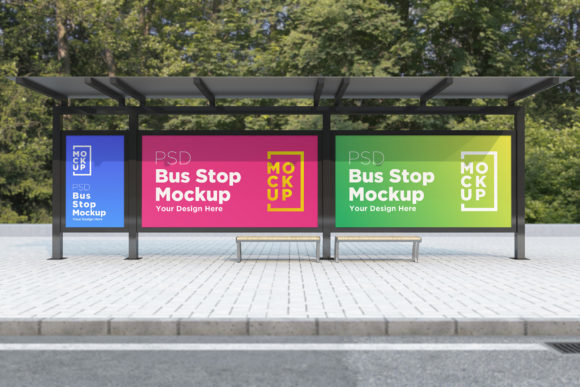
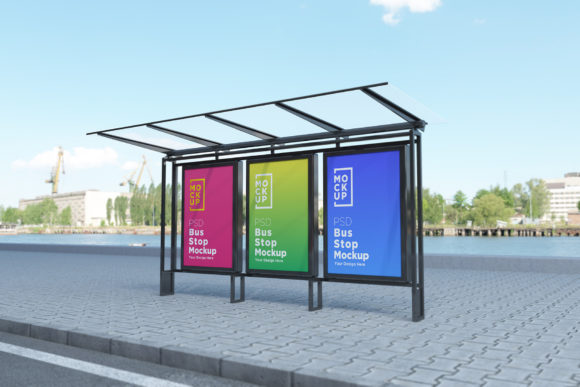
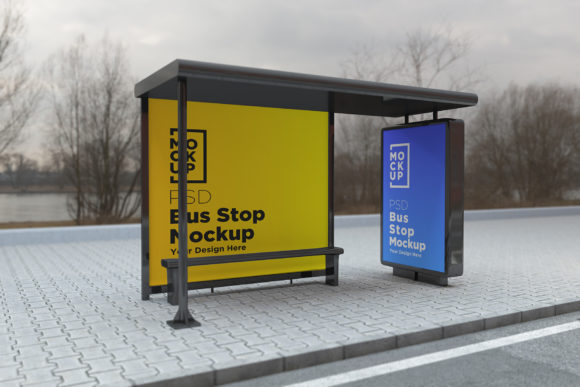
For professionals in the advertising and design industry, visualizing how a poster or banner will appear in its real-world context is crucial. The Bus Stop Shelter Outdoor Sign Mockup offers an efficient and realistic solution to this challenge. This high-quality mockup provides a 3D rendered environment that simulates the look of your advertisement on a bus stop shelter or billboard. Designed with practicality and precision in mind, it allows marketers, designers, and business owners to showcase their creative work without the need for expensive photography or location scouting.
Why the Bus Stop Shelter Outdoor Sign Mockup Matters for Your Brand
Outdoor advertising remains one of the most effective ways to reach local audiences. Whether you're promoting a product, service, or event, visibility at high-traffic locations like bus stops can significantly impact brand awareness. However, creating compelling visuals for these spaces requires more than just attractive graphics—it demands an understanding of placement, scale, and environmental context.
The Bus Stop Shelter Outdoor Sign Mockup addresses these needs by offering a detailed digital representation of your ad within a lifelike setting. It helps you make informed decisions about color contrast, font legibility, image resolution, and overall message clarity before printing or launching a campaign. This level of preparation ensures your design not only looks good but also communicates effectively in a real-world environment.
Strategic Use Cases for the Mockup
This tool is especially valuable when working on campaigns that rely heavily on location-based exposure. Here are some scenarios where the Bus Stop Shelter Outdoor Sign Mockup proves beneficial:
- Client Presentations: When pitching to stakeholders or clients, showing a realistic mockup increases confidence in the final output. It allows them to visualize the ad's impact in a natural setting.
- Design Testing: Before committing to large print runs, use the mockup to test different versions of your ad. You can experiment with layout, imagery, and messaging to determine which version performs best.
- Location Planning: If your campaign involves multiple locations, this mockup helps assess how each design might look against different backgrounds—urban streets, parks, or subways—without visiting every site.
- Time Efficiency: Eliminate the need for photo shoots or waiting for physical installations. The mockup gives you instant results, allowing faster turnaround times and better project management.
How to Approach the Mockup for Maximum Impact
To leverage the full potential of the Bus Stop Shelter Outdoor Sign Mockup, begin by aligning your design goals with the specific characteristics of the mockup. Since it’s a fully layered PSD file compatible with Adobe Photoshop CS6 and above, you can easily customize it using smart objects. This means your design is inserted into the scene as a placeholder, preserving quality and making edits simple.
Consider the following steps when using the mockup:
- Understand the Environment: Analyze the background elements included in the mockup. Are they urban or suburban? Bright or shaded? These factors influence how your ad will stand out.
- Optimize for Readability: Ensure that key messages are legible from a distance. Test fonts, colors, and images against the simulated lighting and surroundings.
- Use Realistic Lighting and Shadows: The V-Ray rendering in the mockup includes accurate lighting effects and shadows. Make sure your design integrates seamlessly with these to avoid an artificial feel.
- Incorporate Branding Elements Thoughtfully: Use the mockup to evaluate how your logo, taglines, and brand colors interact with the surrounding environment. This helps maintain consistent branding across all touchpoints.
- Seek Feedback Early: Share the mockup with team members or clients during the design phase. Their input can lead to refinements that improve the final outcome.
Practical Examples of Effective Mockup Usage
Let’s explore how this mockup has been used in real-life projects:
- A local coffee shop wanted to promote a new seasonal drink. Using the Bus Stop Shelter Outdoor Sign Mockup, they tested several designs and found that a bright yellow backdrop with bold text was most effective in low-light morning conditions.
- An event planner needed to display promotional banners for a music festival. They used the mockup to simulate how the ads would look in various subway stations and parks. This helped them choose a design that worked well in both settings.
- A freelance designer created a mockup series for a client who sells travel gear. By placing their ads in virtual bus shelters, the designer demonstrated how the products would appeal to commuters and travelers alike.
These examples show how the mockup isn’t just a visual aid but a strategic planning tool. It bridges the gap between creative intent and real-world application.
Key Features That Enhance Your Workflow
What makes the Bus Stop Shelter Outdoor Sign Mockup stand out among other design tools? Let’s break down its features and how they contribute to your workflow:
- Top Quality 3D Realistic V-Ray Rendered: This ensures your design appears as close to reality as possible, giving you accurate insights into how it will be perceived outdoors.
- Fully Layered PSD (Minimum CS6): With organized layers and folder names, customization becomes intuitive. You can modify elements such as the background, lighting, or even add weather effects if needed.
- Smart Object Support: Insert your own artwork quickly and easily. No need to manually adjust the scene—just replace the smart object and watch your design blend into the environment.
- 5000 x 3000 Pixel Size: High-resolution files allow for sharp, detailed previews and presentations. Ideal for both digital sharing and print-ready demonstrations.
- Real Background Integration: The mockup uses actual street scenes, ensuring your design doesn’t float unrealistically. This realism is essential for assessing how it fits into the urban landscape.
- 72 Dpi Image: While suitable for digital display, keep in mind that for printed materials, higher DPI may be necessary. But for presentation purposes, this resolution works flawlessly.
- Help File Included: New users can benefit from the included help file, which guides them through the setup and customization process. For further assistance, the creator is available via profile page or email.
When to Rely on the Mockup
While powerful, the Bus Stop Shelter Outdoor Sign Mockup should be used with intention. It’s most effective in the following situations:
- During the early stages of ad development to gauge visual impact.
- Before submitting designs to printers or advertisers to confirm alignment with specifications.
- When presenting to non-designer stakeholders who need a clear picture of the final output.
- As part of A/B testing for different design variations in similar environments.
However, avoid using the mockup as a substitute for field research entirely. While it’s excellent for visualization, nothing replaces seeing how your ad performs in real conditions over time.
Risks of Using the Mockup Without Clear Strategy
Like any design tool, the Bus Stop Shelter Outdoor Sign Mockup carries risks if misused. One common pitfall is relying solely on the mockup without considering the broader advertising strategy. For example, if you don’t understand your target audience or the typical commuter behavior at the chosen location, the mockup may give a false sense of effectiveness.
Another risk is poor design choices masked by high-quality rendering. A visually appealing mockup won’t fix a weak message or unclear call-to-action. Always pair the mockup with strong creative concepts and market insights.
Maximizing Long-Term Value Through Intentional Use
To ensure the mockup supports your long-term objectives, consider the following:
- Set Clear Goals: Know what you want the ad to achieve—brand awareness, website traffic, or direct sales—and tailor your design accordingly.
- Align with Campaign Themes: Use the mockup to maintain consistency across all marketing channels. If your campaign uses a specific color palette or tone, ensure it translates well in the outdoor setting.
- Test Across Scenarios: Don’t limit yourself to one mockup. Experiment with different environments (e.g., rainy vs. sunny days) to see how your design holds up under various conditions.
- Document and Refine: Keep a record of changes made in the mockup. This helps track which design choices resonate best and informs future projects.
Planning Tips for Better Results
Here are some actionable tips to guide your use of the Bus Stop Shelter Outdoor Sign Mockup:
- Always start with a rough draft of your design. Once you have a basic layout, insert it into the mockup for feedback and refinement.
- Use the help file to navigate complex layers. Understanding how the mockup is structured will save time and reduce errors.
- Match the mood of the mockup to your brand identity. If your brand is modern and sleek, choose a clean, well-lit scene. If it’s rustic or vintage, consider a more textured background.
- Don’t forget to check the size and orientation of your ad in the mockup. It should reflect the actual dimensions and positioning on a real shelter or billboard.
- Share the final render with your team for critique. Even small adjustments can enhance readability and engagement.
Conclusion: Making Informed Decisions with the Right Tools
The Bus Stop Shelter Outdoor Sign Mockup is more than just a digital template—it’s a strategic asset that supports decision-making, enhances communication, and improves outcomes. By integrating it into your workflow thoughtfully, you can create more impactful designs, streamline your planning process, and deliver value to your clients or customers with greater efficiency.
Whether you’re a marketer, designer, freelancer, or small business owner, this tool empowers you to visualize success before execution. Use it intentionally, understand its limitations, and always align your creative choices with your broader marketing strategy.