Bus Stop Bus Shelter Sign Mockup: A Practical Tool for Advertising Designers
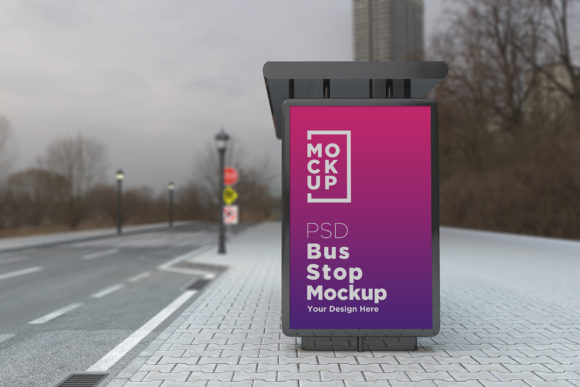
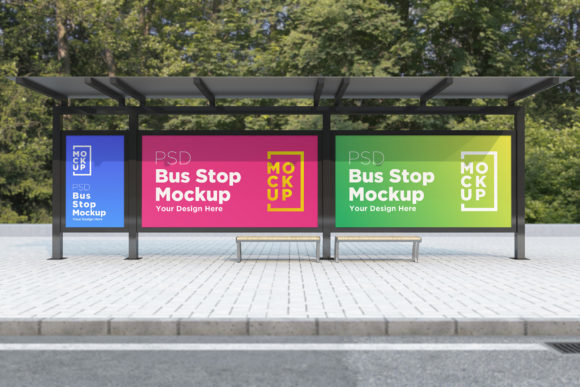
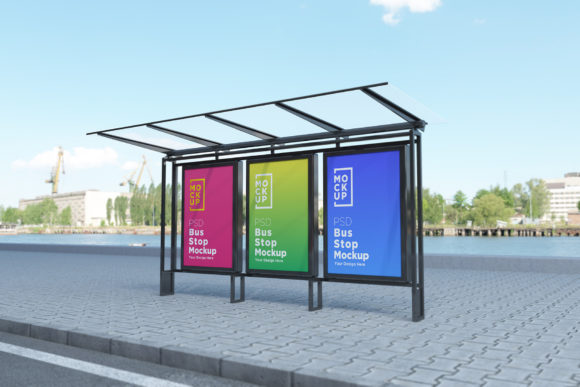
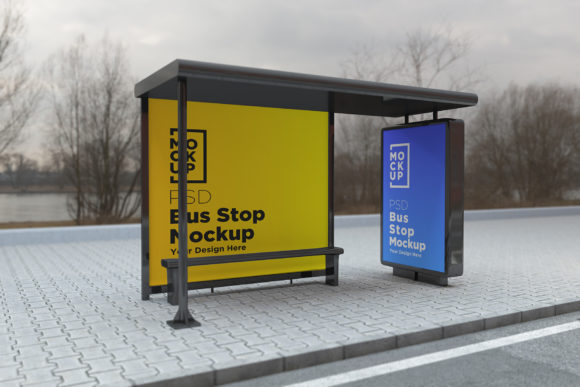
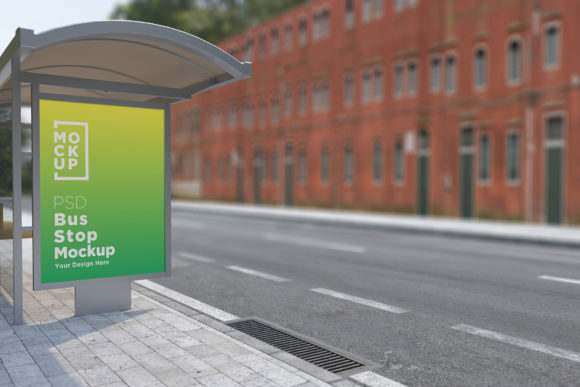
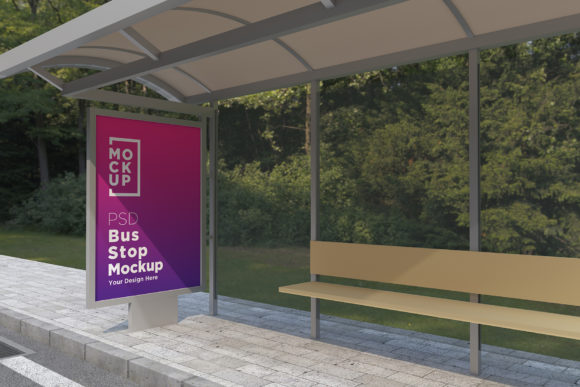
In the world of digital advertising, presenting your designs in a realistic context is essential to convey their impact effectively. The Bus Stop Bus Shelter Sign Mockup offers a solution that bridges the gap between static visuals and real-world application. Designed as a high-quality, fully layered PSD file, this mockup allows you to showcase your advertisement posters with a 3D realistic rendering that simulates how they would appear on actual bus shelters or at street-level bus stops.
What Is the Bus Stop Bus Shelter Sign Mockup?
The Bus Stop Bus Shelter Sign Mockup is a digital template created using advanced 3D modeling and V-Ray rendering techniques. It provides a photorealistic environment where designers can place their banners, posters, or advertisements without the need for physical photo shoots. This makes it an ideal tool for agencies, freelancers, and businesses looking to visualize their marketing materials in a lifelike setting before finalizing production.
With a resolution of 5000 x 3000 pixels and support for Adobe Photoshop CS6 and later versions, this mockup ensures clarity and adaptability. Its smart object layers allow for easy customization, enabling users to replace images or text seamlessly while maintaining the integrity of the overall design.
Key Features That Set It Apart
- Top Quality 3D Realistic V-Ray Rendered: Unlike basic flat mockups, this one leverages V-Ray technology to create depth, texture, and lighting effects that closely resemble real-world environments.
- Fully Layered and Organized: Each element within the PSD file is neatly categorized into folders and named for clarity, making it easier to navigate and edit specific parts of the scene.
- Smart Object Support: Inserting your own artwork is straightforward thanks to smart objects. You can scale, rotate, or adjust your design without affecting the underlying structure of the mockup.
- Help File Included: For those who are new to working with such detailed templates, the help file provides guidance on using the layers and achieving optimal results.
- High-Resolution Output: At 72 Dpi, the mockup delivers professional-grade quality suitable for both print and digital presentations.
Strengths and Best-Fit Scenarios
This mockup excels in situations where visual realism is key. Whether you're pitching a client on the look of a new billboard concept or preparing assets for a presentation, the ability to show your design in a simulated urban setting can make a significant difference. Here’s where it shines most:
- Client Presentations: Use the mockup to present your work in a visually compelling way that helps clients imagine the final product in a real-world location.
- Design Exploration: Experiment with different layouts, color schemes, or messaging strategies by quickly swapping out content within the same environment.
- Time Efficiency: Eliminates the need to organize photo sessions or scout locations, saving hours of work while still delivering a polished result.
- Cost Effectiveness: Reduces production costs associated with photography or location-based shoot setups, especially for multiple iterations of a design.
How Does It Compare to Other Mockup Options?
Many similar tools exist in the market, but the Bus Stop Bus Shelter Sign Mockup distinguishes itself through its focus on public transportation settings. While some general-purpose ad mockups may include subway tunnels, park benches, or roadside billboards, this one specializes in bus stop and shelter environments—offering more precise and relevant visuals for campaigns targeting commuters or city dwellers.
Compared to traditional flat mockups, which often lack depth and realism, the 3D-rendered nature of this template gives a much stronger sense of spatial awareness and material texture. It also compares favorably to generic 3D renderings that might not be tailored to specific advertising formats like bus signs or shelter panels.
Limitations and Tradeoffs
Despite its many advantages, there are certain limitations to consider when evaluating whether this mockup is the best fit for your project:
- Software Dependency: The mockup requires Adobe Photoshop (minimum CS6), so users without access to this software will need to explore alternatives.
- Learning Curve: While the help file simplifies the process, mastering the use of smart objects and layered elements may take time for beginners.
- Specificity: If your campaign does not target bus stops or shelters, other types of mockups may better suit your needs.
These tradeoffs highlight the importance of choosing a mockup that aligns with your specific design goals and technical capabilities.
When to Choose This Mockup and When to Look Elsewhere
The Bus Stop Bus Shelter Sign Mockup is particularly well-suited for:
- Local advertisers promoting events, services, or products to urban audiences.
- Graphic designers specializing in outdoor or transit advertising who want to simulate real-world placement.
- Marketing teams creating proposals that require visual storytelling in a public space context.
If your project involves other forms of advertising—such as storefront displays, airport ads, or vehicle wraps—you may find more appropriate templates in specialized categories. However, if you’re focusing on bus-related signage, this mockup provides a focused and effective platform.
Realistic Examples and Use Cases
Imagine you’re designing a poster for a new coffee shop chain that wants to reach morning commuters. Instead of showing a simple white background version of the poster, placing it in the Bus Stop Bus Shelter Sign Mockup instantly conveys how it will look in a real-world setting—surrounded by people, sunlight filtering through windows, and reflected surfaces that add depth and realism.
Another example could involve a travel agency launching a promotional campaign for weekend getaways. By inserting their banner into the mockup, they can demonstrate the visibility of the ad during peak hours and how it integrates into the urban landscape, helping stakeholders understand the potential reach and effectiveness of the placement.
Alternatives Worth Considering
While the Bus Stop Bus Shelter Sign Mockup is excellent for its niche, it's worth exploring other options depending on your requirements:
- General Outdoor Billboard Mockups: These offer broader scenarios such as highway billboards, building facades, or shopping mall entrances.
- Street-Level Ad Mockups: Ideal for smaller formats like bench signs or kiosk displays, these provide a more ground-level perspective.
- Photographic Mockups: Some prefer using real photos with overlay techniques for even more authenticity, though they may lack the flexibility of 3D models.
Each alternative has its own strengths and weaknesses, and the choice depends largely on the intended use and the level of detail required.
Decision Factors for Choosing the Right Mockup
Here are some key considerations to help determine if the Bus Stop Bus Shelter Sign Mockup is right for your needs:
- Do you need to showcase your design in a public transportation environment? If yes, this mockup is highly relevant.
- Is realism important for your presentation or client approval? The V-Ray rendering supports that goal effectively.
- Are you looking for a balance between quality and ease of use? The organized layers and included help file make it user-friendly despite its complexity.
- Will your team have consistent access to Adobe Photoshop? This is necessary to utilize the full potential of the template.
Evaluating these factors can guide you toward the best option for your workflow and objectives.
Getting Started with the Mockup
To begin using the Bus Stop Bus Shelter Sign Mockup, simply open the provided PSD file in Photoshop. Replace the placeholder image with your own design using the smart object layer. Adjust lighting, shadows, or reflections if needed, and save your final output as JPEG for sharing or printing.
For added convenience, the help file walks you through each step of the process, ensuring that even less experienced users can achieve professional results. Should you encounter any issues, reaching out via the designer's profile page or email is encouraged for personalized support.
Final Thoughts on Fit and Flexibility
The Bus Stop Bus Shelter Sign Mockup is a valuable asset for anyone involved in transit advertising or needing to visualize their work in a public setting. Its combination of 3D realism, smart layering, and ease of modification makes it a strong contender among available tools. However, it’s not a universal solution—its specificity means it works best when your project directly relates to bus stop or shelter signage.
By understanding your design needs and matching them with the features offered by this mockup, you can ensure that your advertising efforts are backed by visuals that truly reflect the intended impact.