Christmas Mockup Table Setting Mockup for Designers and Marketers
What Is a Christmas Mockup Table Setting?
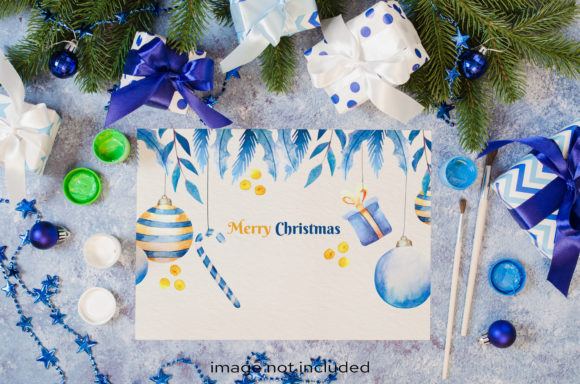
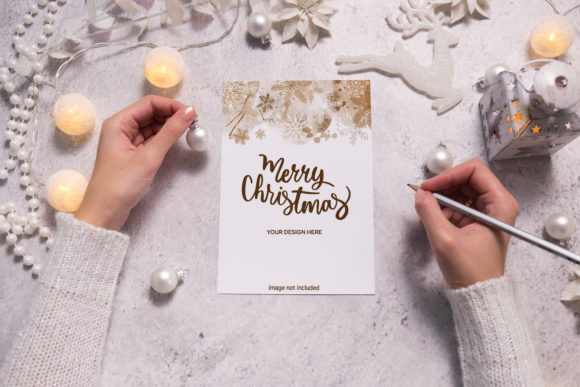
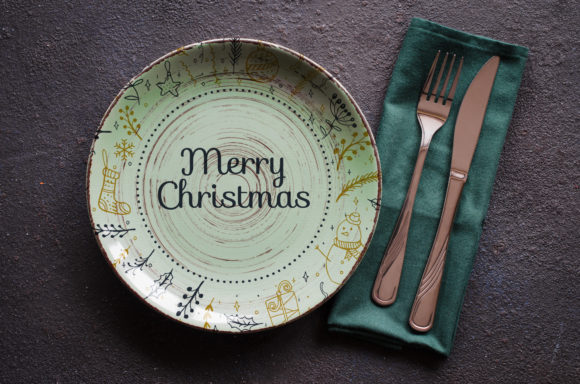
A Christmas mockup table setting is a high-resolution digital image that showcases holiday-themed designs on a festive table setup. It’s often used by designers, marketers, and content creators to present their work in a realistic and visually appealing context. These mockups are typically created using professional photography and include elements like plates, cutlery, napkins, and decorations arranged in a cozy winter scene. The key feature of this specific mockup is the use of a smart layer object, which makes it easy to customize. You can simply paste your design into the smart object within the PSD file, adjust it as needed, and save — no need for complex editing or reworking the entire image. This type of mockup is ideal for showcasing branding materials such as logos, packaging, cards, or illustrations in a holiday setting without requiring 3D modeling or vector graphics.Why Different Audiences Care About Christmas Mockups
Whether you're an aspiring designer or a seasoned marketer, a Christmas mockup table setting offers value across multiple industries and skill levels. The way each group uses it depends largely on their goals and the tools they already have at their disposal.
For Beginners: A Simple Way to Present Holiday Designs
If you're new to graphic design or social media marketing, a Christmas mockup provides an accessible way to show off your work in a professional-looking environment. You don’t need advanced skills to use a smart object — just basic knowledge of Photoshop will let you insert your logo or card into the table setting and generate a stunning visual for your portfolio or online store.
Example: A beginner blogger designing a holiday greeting card can quickly place their artwork onto a festive table using the mockup, giving their post a polished and seasonal look without investing time in learning complicated techniques.
For Creators and Entrepreneurs: Enhancing Brand Visibility During the Holidays
Designers who sell products such as printable cards, wrapping paper, or branded merchandise can use these mockups to highlight how their items would look in real-life settings. A well-presented product image can significantly boost sales and customer engagement, especially during the busy holiday season when people are shopping for gifts and decorations.
The fact that the mockup is a digital download with a high resolution (300 dpi) ensures it looks sharp on both websites and printed materials. For entrepreneurs launching a seasonal campaign, this kind of visual consistency can help reinforce brand identity and professionalism.
For Educators and Students: Learning Real-World Application
In classroom settings or self-learning environments, a Christmas table mockup serves as a practical tool for teaching design presentation and composition. Students can experiment with different color schemes, fonts, and layouts to see how they affect the final visual outcome. Since the mockup comes as a PSD file, it also helps learners understand how smart objects work in Photoshop — a valuable skill for any design project.
Example: An educator might assign students to create a holiday-themed logo and then use the mockup to demonstrate how it fits into a larger design ecosystem, such as a restaurant menu or a gift package display.
Key Priorities and How They Align With This Mockup
Depending on your background and needs, certain features of the Christmas mockup table setting may matter more than others. Let’s explore how this resource aligns with common priorities:
- Quality: The high-resolution JPEG and 300 dpi format make it suitable for both print and digital platforms, ensuring crisp visuals every time.
- Speed: Smart object layers allow for fast customization. You can drop your design in and out easily, saving time compared to manually editing each element.
- Cost: As a one-time digital download, it's a cost-effective solution for creating multiple holiday presentations without hiring a photographer or designer.
- Flexibility: While the typography isn’t included, the blank space in the mockup gives you full control over what text or design elements you want to add.
- Reliability: Receiving a .zip file with all necessary assets (including preview files) ensures you get everything you need in one go, reducing the risk of missing components.
Marketing Teams and Bloggers
Marketing professionals can use the Christmas mockup table setting to promote seasonal campaigns or products. By placing promotional banners, posters, or ads onto the table, they can give potential customers a sense of how the item will be used in a real-world scenario. Bloggers can enhance their posts with mockups showing holiday-themed blog headers or social media graphics.
Freelancers and Small Business Owners
Freelancers working on client projects during the holidays can use this mockup to deliver professional-looking samples. Whether it's a logo for a bakery or a new label for handmade candles, the mockup adds a touch of realism that clients appreciate. Small business owners can similarly use it to update their website images or social media profiles with a fresh, festive vibe.
Hobbyists and Consumers
Even if you’re not a professional, a Christmas mockup can be a fun and creative tool. Hobbyists interested in DIY gifts or home decor can visualize how their custom labels or tags would look on a beautifully set holiday table. For consumers looking to create personalized invitations or thank-you notes, this mockup makes it easy to achieve a high-end finish without needing special equipment or software skills.
Choosing the Right Mockup for Your Needs
When selecting a Christmas mockup table setting, consider what you plan to showcase and how much customization you’ll need. Here are some questions to ask yourself before purchasing:
- Do I need a high-resolution image for both online and print use? Yes — this mockup delivers 300 dpi JPEGs and a full-size preview.
- Am I comfortable using smart objects in Photoshop? If yes, this will streamline your workflow; if not, look for alternatives with simpler editing processes.
- Will I need to add my own text or design elements? This mockup does not include applied typography, so be sure to account for that in your planning.
- Is this a one-time use or part of a long-term project? Since it’s a digital asset, it can be reused across various platforms and campaigns.
How to Get Started With Your Christmas Mockup
Using the Christmas mockup table setting is straightforward. After downloading the .zip file, extract its contents and open the PSD file in Adobe Photoshop. Locate the smart object layer, right-click it, and choose "Edit Contents." From there, paste your design into the smart object canvas and scale it appropriately. Once you're satisfied, save the file and export it in JPEG format for sharing or publishing.
This process is especially useful for those who want to maintain a consistent style across multiple projects. You can apply the same branding or illustration to different mockups to test variations or build a cohesive holiday collection.
Final Thoughts
A Christmas mockup table setting is more than just a pretty photo — it's a versatile tool that supports creativity, enhances presentation, and saves time. Whether you're preparing for a holiday launch, updating your social media, or simply experimenting with design ideas, this mockup provides a solid foundation. Just remember that it’s a static image, not a 3D model or vector file, so tailor your expectations accordingly.
If you're looking for something quick, clean, and customizable for your next holiday project, this mockup could be exactly what you need. And with its high-resolution output and smart object support, it’s ready to help you bring your vision to life. Thanks for shopping — best regards!